Features
The guest list stays clear.
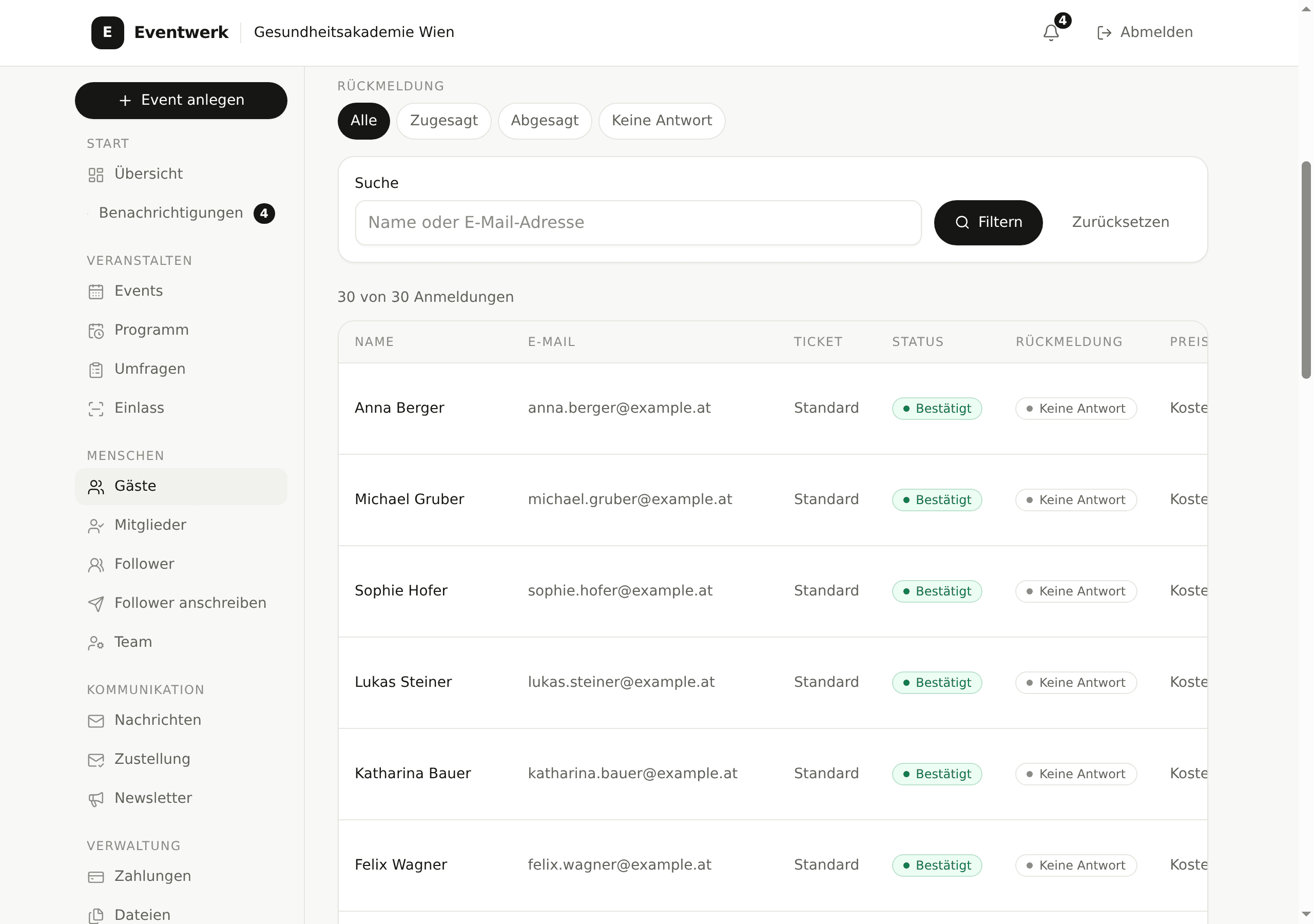
All registrations for an event sit in one list that you can filter, export and tick off on site, even when the network at the door fails.
Search, filter, read status
Search finds guests by name or address. Filters narrow the list by status, so the door only shows the rows that matter.
- Search by name and email address
- Status confirmed, waitlist, cancelled and declined
- Filters by status and ticket type
Import and export
Export delivers a CSV file with formula protection, so spreadsheet apps do not run cell contents as formulas. Import reads CSV and Excel and detects the provider from the column headers.
- CSV export with formula protection
- CSV and Excel import (.xlsx)
- Provider detection without manual choice
Check-in at the door
Check-in runs on the ticket QR code. Without a network, the list keeps working offline and syncs the entries once the connection is back. The numbers per event sit right next to it.
- Check-in by QR code
- Offline check-in with later sync
- Check-in numbers per event at a glance
See the flow on an event of your own.
Create an event, open the event page and test the guest list and check-in with a small group.