Examples

Three events, from registration to check-in.

Conference, workshop, community evening: the flows below are walked through end to end and show which settings you need and what the results look like.

Walkthrough examples, not customer references

All three flows were walked through by us to show the features. They are not real events, no customers are speaking, and no company names are used. The numbers are example values.
Example 1seats: 240 seats

Conference with 240 seats

A professional association runs its annual meeting. Seats are limited, part of the registrations come from partner organisations, and there are two desks at the entrance.

Flow

  1. Registration with approval
  2. Confirmation and ticket
  3. Reminder before the event
  4. Check-in at the entrance
  5. Source report
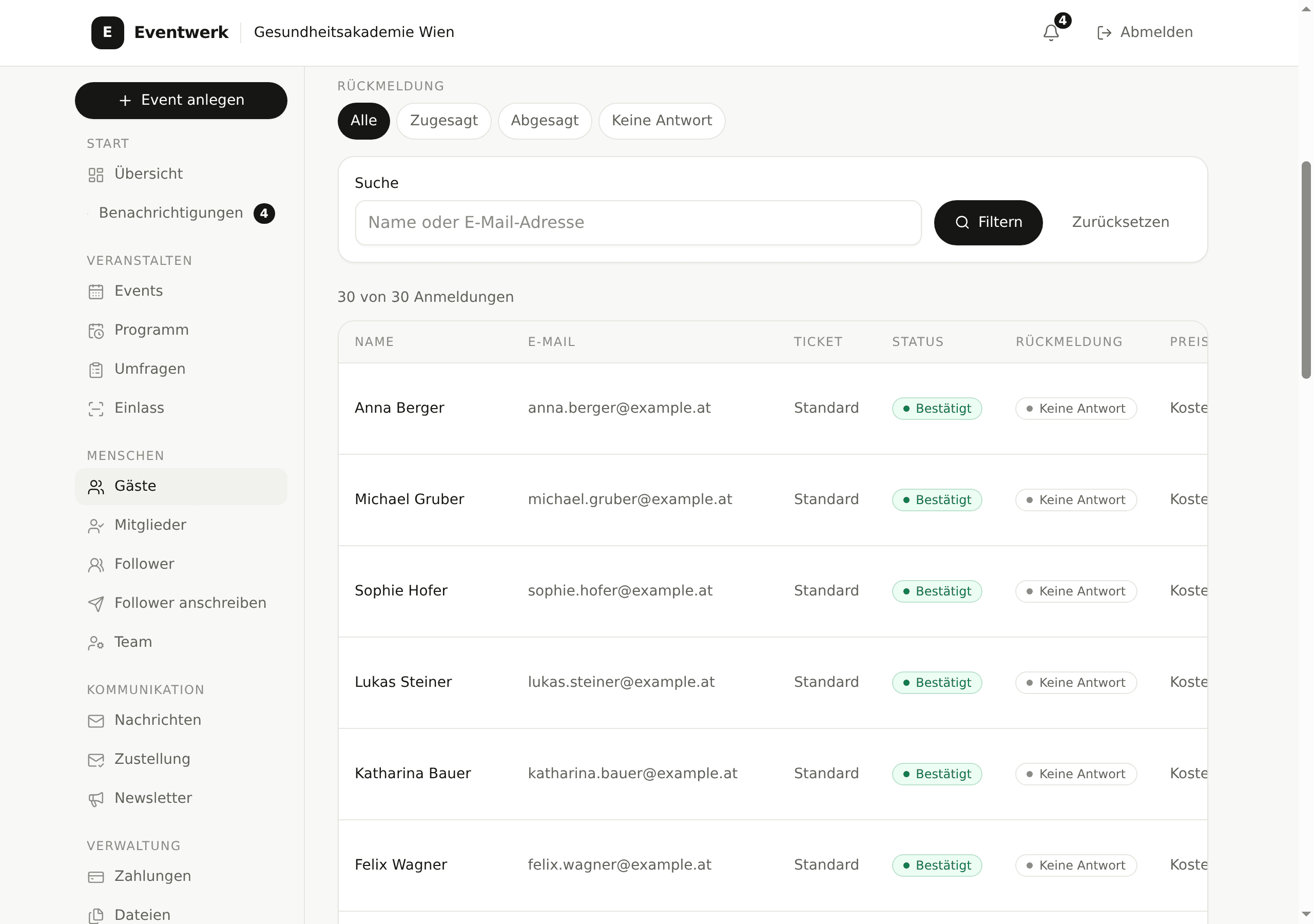
Guest list in Eventwerk with confirmed guests, status and filters by ticket type
The guest list shows status, ticket type and check-in in one table, filterable by source and confirmation.

Starting point

  • 240 seats, more requests than seats.
  • Registrations arrive through the website, the newsletter and two partner organisations.
  • The board has to approve every registration because members have priority.
  • Check-in at the entrance runs on two phones without reliable Wi-Fi.

What you set up

  1. Registration with approval: every registration starts as “Awaiting approval” and is confirmed or declined in the dashboard.
  2. Waitlist: after 240 confirmations, the next person moves up automatically when someone cancels.
  3. Invitations: one invitation link per partner organisation, so you can later see where guests came from.
  4. Check-in by QR code on the ticket, plus name search for guests without a ticket on their phone.
  5. Check-in role for both helpers at the desk, without access to guest data or settings.

What the guest experiences

  1. The guest opens the registration link, enters name, organisation and ticket type, and reads that the registration will be reviewed.
  2. After approval, the confirmation with ticket and QR code arrives by email.
  3. A week before, an email reminds them of travel, programme and the option to pass the seat on.
  4. At the entrance the QR code is scanned and the name appears with a green tick on the list.

What the numbers show

262

registrations in total

240

confirmed seats

18

on the waitlist

231

checked in at the entrance

The source report shows how many confirmed registrations each invitation link brought: newsletter 38 percent, website 27 percent, partner A 14 percent, partner B 12 percent, direct invitations 9 percent.
Example 2seats: 30 seats

Workshop with 30 seats

An education provider runs a full-day workshop. Seats are tight, participants answer two questions in advance, and the room has no reliable signal.

Flow

  1. Registration with questions
  2. Confirmation with calendar entry
  3. Reminder 48 hours before
  4. Offline check-in in the room
  5. Evaluate the answers
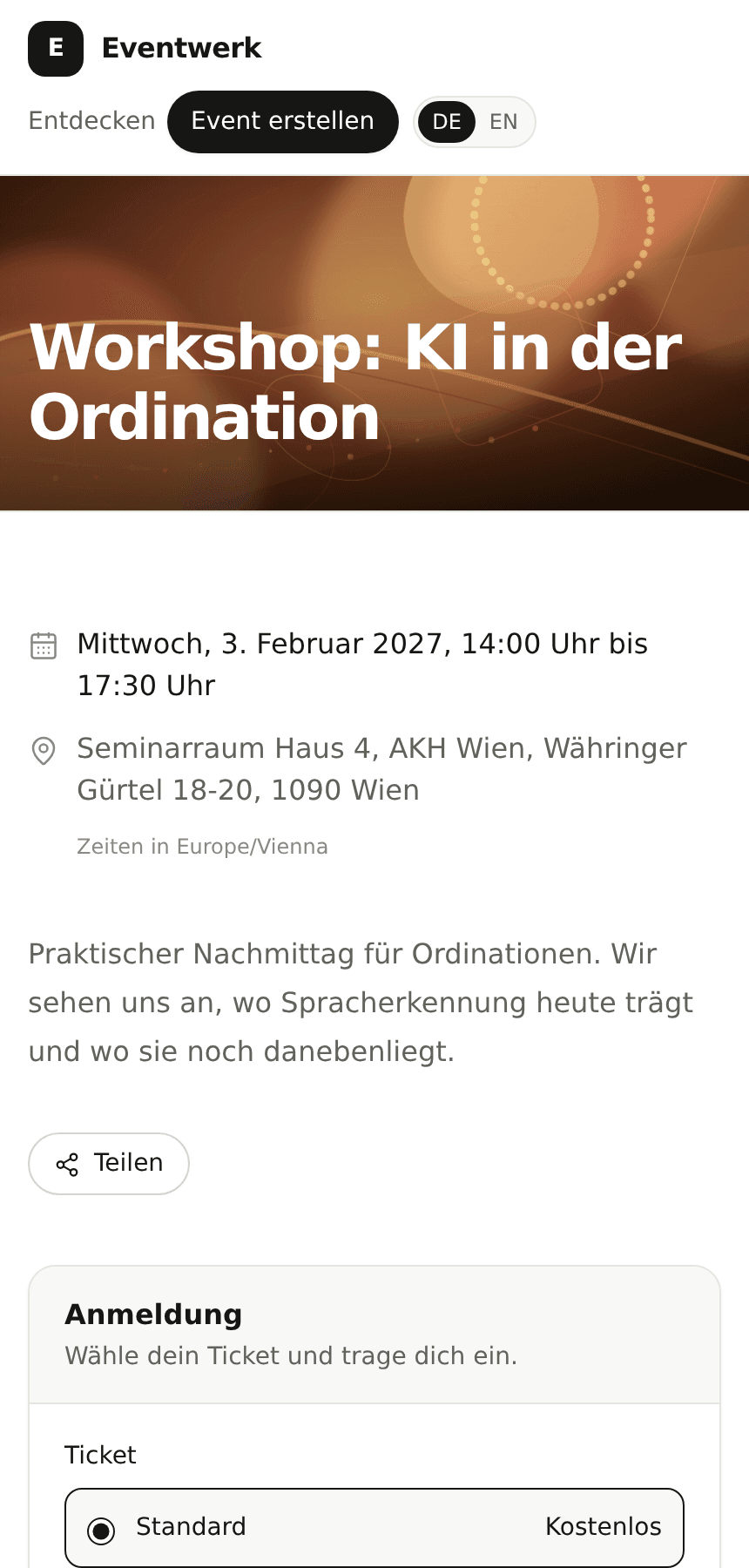
Public registration page for a workshop on a phone, with questions in the form
The public registration page on a phone: short description, free seats and the questions right in the form.

Starting point

  • 30 seats, registration through a link in a mailing list.
  • Two required questions: prior knowledge and dietary preference.
  • Cancellations tend to arrive shortly before the date.
  • The seminar room has no usable Wi-Fi.

What you set up

  1. Registration with two required questions and one optional free-text question.
  2. Instant confirmation after submitting, with a calendar entry and a request to cancel if unable to attend.
  3. A reminder 48 hours before and a short message on the morning of the workshop.
  4. Offline check-in: the guest list is opened on the phone beforehand and keeps working without a connection.
  5. Two seats are held for replacements, who are notified automatically when someone cancels.

What the guest experiences

  1. The guest opens the link, sees the free seats and answers both questions in under a minute.
  2. The confirmation arrives instantly, with date, location and a note that the seat is transferable.
  3. 48 hours before, the reminder arrives with directions and the dietary question.
  4. In the room the name is found on the list and ticked off, without a network.

What the numbers show

34

registrations

30

seats taken

4

on the waitlist

28

attended

The answers are collected in the report: 12 participants without prior knowledge, 18 with prior knowledge, 5 vegetarian. That is enough to split two groups and order lunch.

Example 3seats: open registration

Community evening without a programme

A neighbourhood initiative invites people to a hall once a month. There is no fixed programme, registration is open, and helpers stand at the door with one phone.

Flow

  1. Open registration
  2. Short reminder in the afternoon
  3. Check-in by QR at the entrance
  4. Follow-up survey the next day
  5. Report on first-time guests
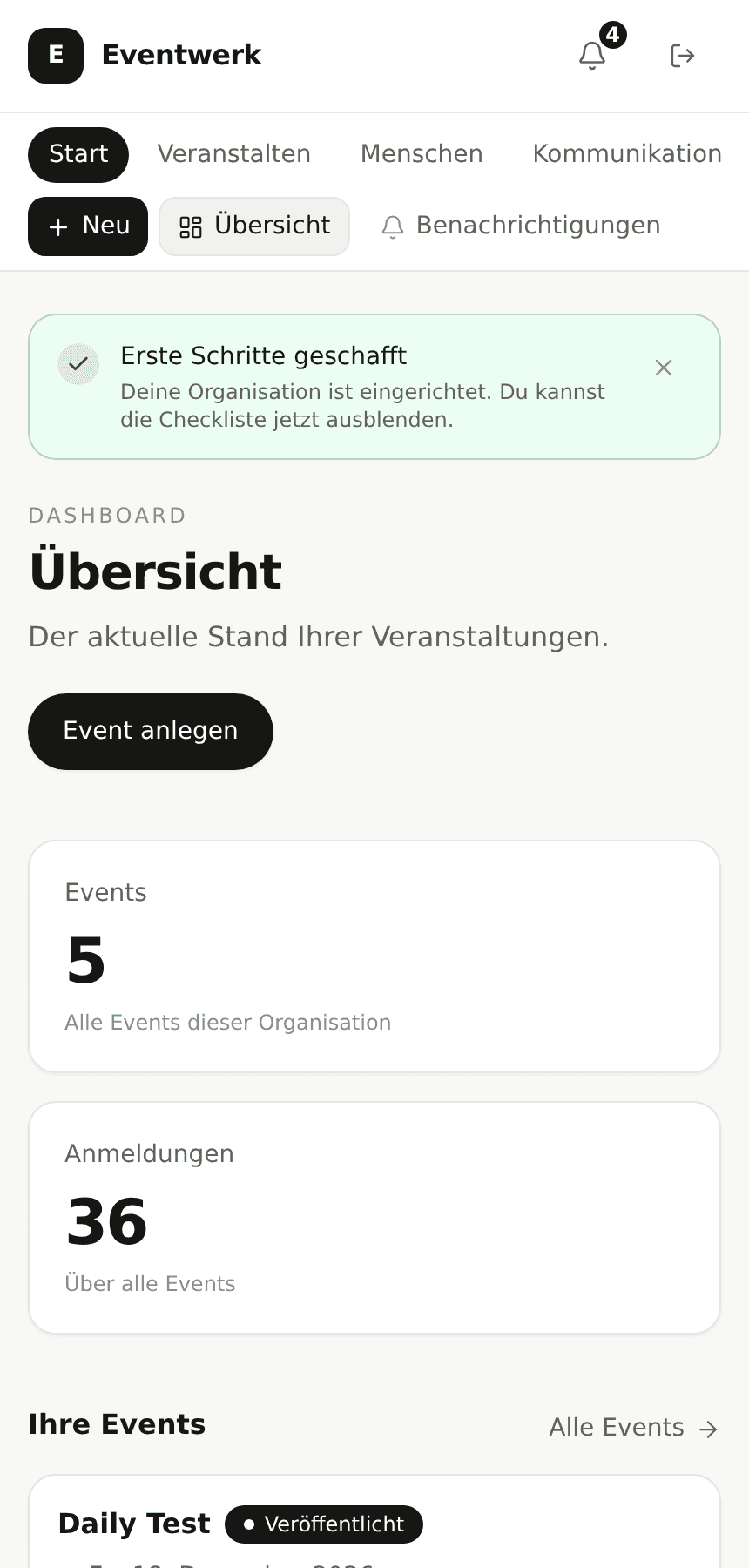
Dashboard in Eventwerk on a phone with the upcoming event and check-in
The dashboard on a phone: the next date, the number of registrations and check-in within reach.

Starting point

  • No limit, and registration should be as low-threshold as possible.
  • Most guests decide on the day itself.
  • One phone at the door, often with changing helpers.
  • After the evening, it should be visible how many came and how many only said yes.

What you set up

  1. Open registration without approval, with a name and an optional email address.
  2. A short reminder on the afternoon of the date, without signing anyone up to a newsletter.
  3. Check-in by QR at the entrance, plus a name search for guests without a ticket.
  4. Check-in role for changing helpers, set up in two minutes.
  5. Two questions after the evening: how did you like it, and would you like to hear about the next date.

What the guest experiences

  1. The guest opens the link, enters a name and is registered. Nothing more is required.
  2. In the afternoon a short reminder arrives with time and address.
  3. At the entrance the guest shows the QR code or gives their name.
  4. The next day an email arrives with the next date, for anyone who wants it.

What the numbers show

90

registrations

76

checked in

14

did not attend

41

answers to the follow-up survey

The report shows that 38 of the 76 guests were there for the first time. That is the number the initiative uses to judge the effect of the format.

What it looks like

Admin on the desktop, registration on the phone.

The same data, two views. The event list for planning, the public page for guests.

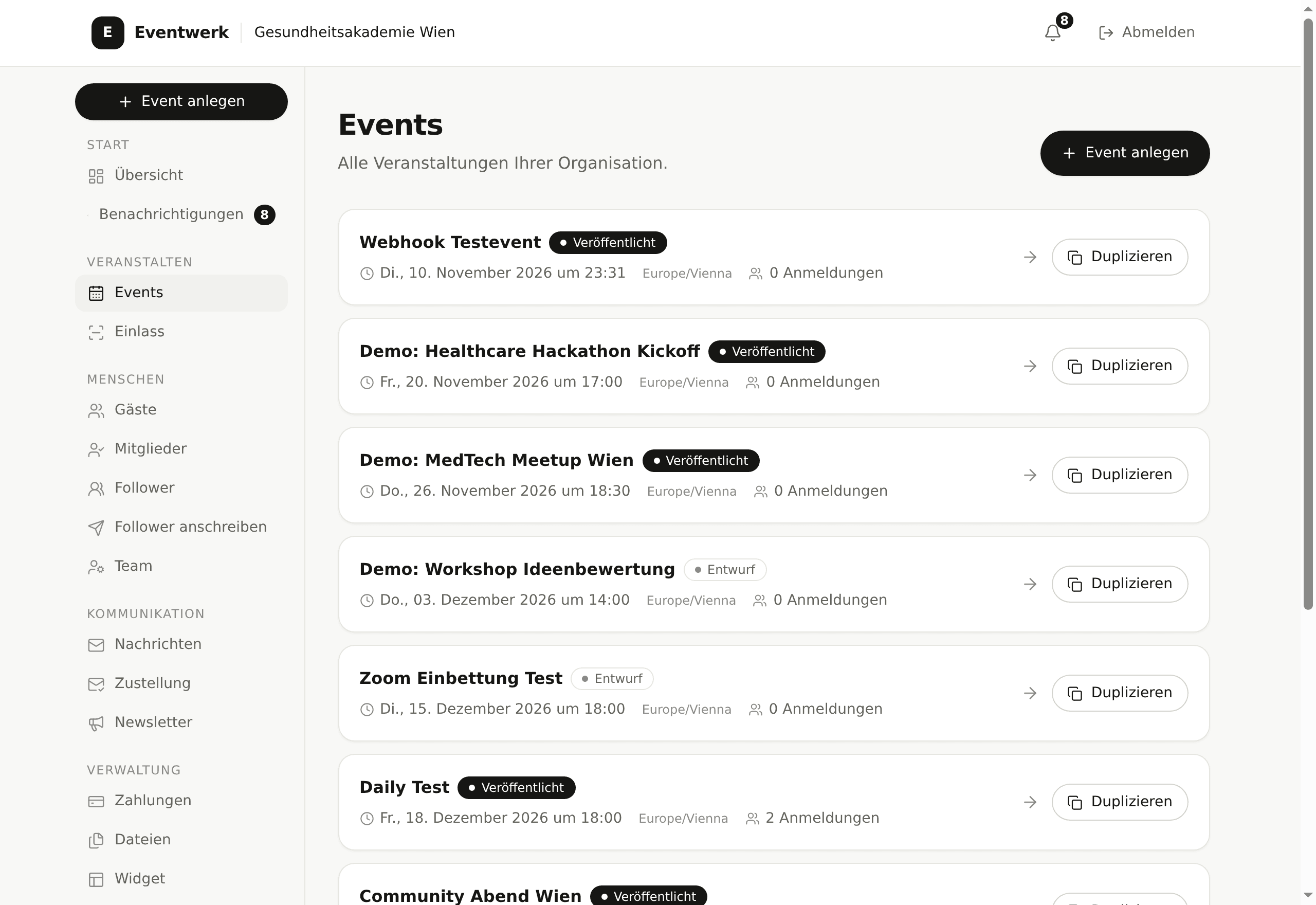
Event list in the Eventwerk dashboard with several events and their status
The event list in the dashboard: all dates, status and registration counts at a glance.
Public registration page in Eventwerk on a phone
The public registration page on a phone, with no app and no account for the guest.

Read on

Where the individual features are described.

The examples show the flow. The details on registration, waitlist, check-in and reporting are on the following pages.

Features

Registration, approval, waitlist, messages, check-in and reporting in detail.

To the features

Who it is for

Which settings fit conferences, workshops, associations and open evenings.

To the audiences

Pricing

What is free, what Eventwerk Plus adds and how many recipients per week are included.

To the pricing

Walk through your own flow.

Create an event, register yourself as a guest and try check-in on your phone. It takes a few minutes and costs nothing.